
Getting Started
Preview
Use Preview to customize and test a section before copying it into your Starter Kit.
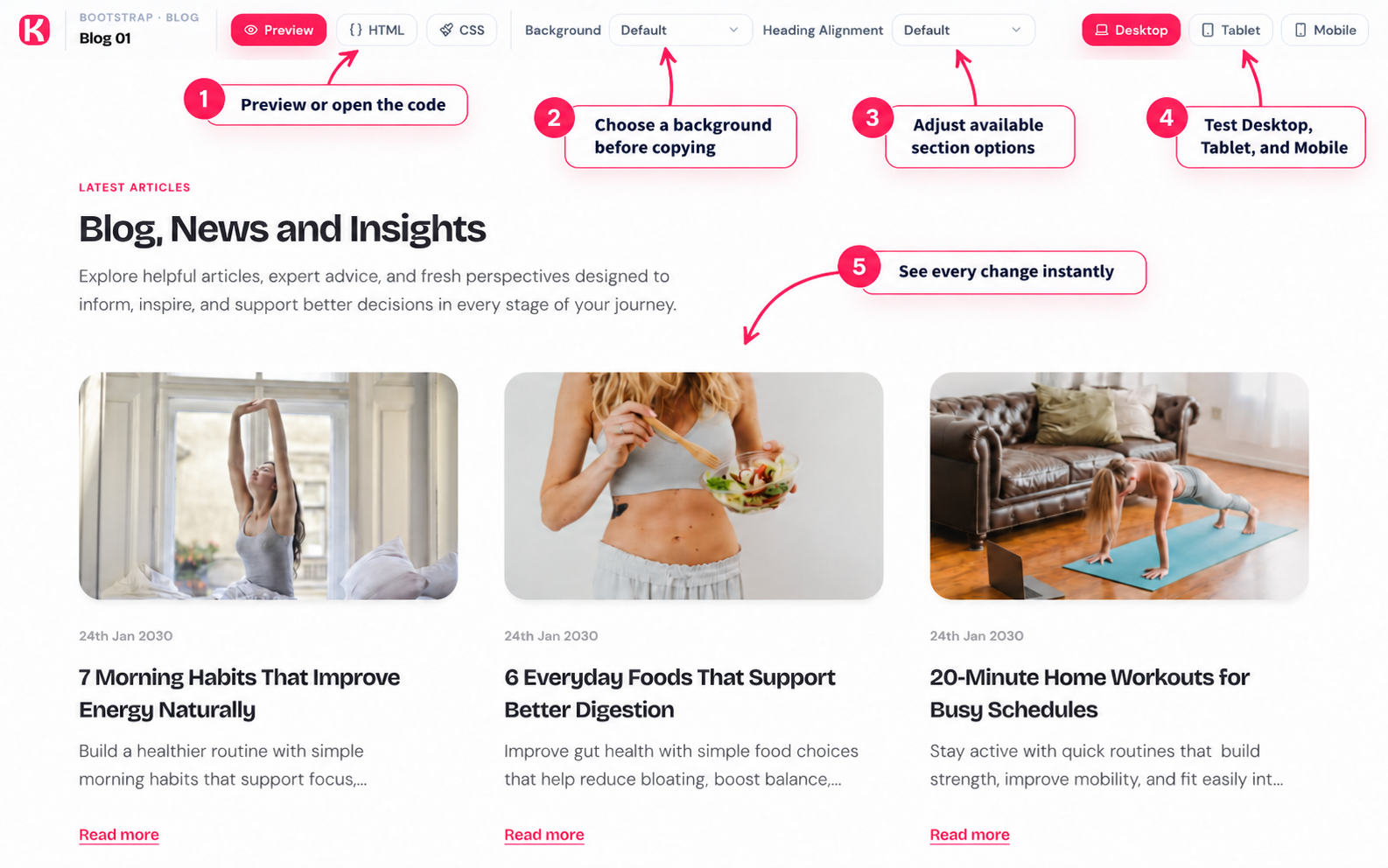
Follow the numbers in the image
| Number | What to do |
|---|---|
| 1 | Preview the section, then open HTML, CSS, or JS when you are ready to copy. |
| 2 | Choose the background first because your selection is included in the copied code. |
| 3 | Adjust available options such as heading alignment or header behaviour. |
| 4 | Check the section in Desktop, Tablet, and Mobile views. |
| 5 | See your background and option changes instantly in the live preview. |
Copy the correct code
- Choose your background before copying because the selection is added to the code.
- For Bootstrap, copy HTML, CSS, and JavaScript when provided.
- For Tailwind, copy HTML and JavaScript when provided.
Access
Free sections need a free account. Premium sections need an active Individual or Team plan.